An all-in-one mobile companion app to discover your scooter, pair ADB keys, and manage settings directly from your Android phone without a PC.
The open-source Axiom Android app packages the entire discovery, gRPC diagnostic communication, and ADB key pairing workflow into a single mobile application.
Finding Your Scooter’s IPv4 Address (Optional)
Section titled “Finding Your Scooter’s IPv4 Address (Optional)”Connecting over IPv4 using your local Wi-Fi subnet is often the most convenient method. If you do not have access to your router’s administration page to find the DHCP client lease, you can view the assigned IPv4 address directly on the scooter’s touchscreen:
-
Open Wi-Fi Settings: On your scooter display, open the settings menu and navigate to Wi-Fi.
-
Select Connected Network: Tap directly on the Wi-Fi card you are currently connected to.
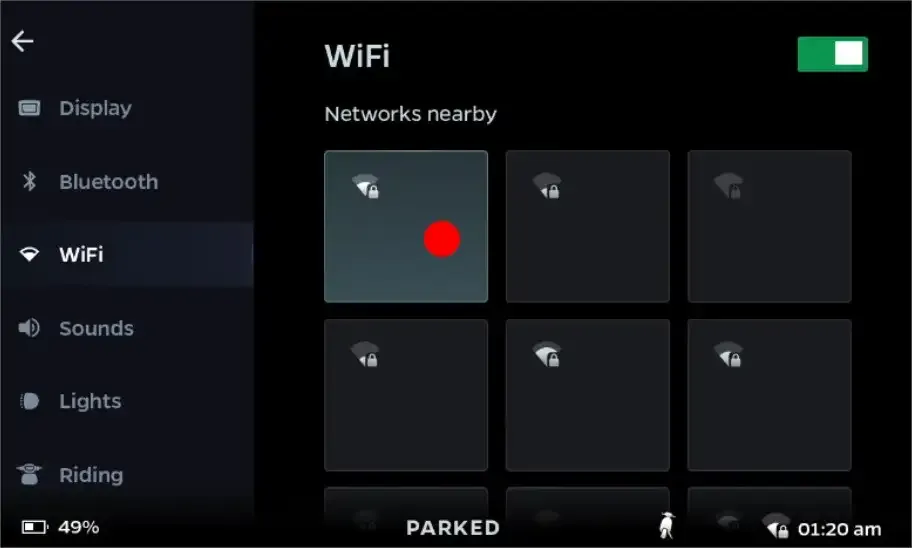 Tap on the active Wi-Fi network card to open its connection details.
-
Locate IPv4 Address: The network details screen will display your scooter’s current network configuration:
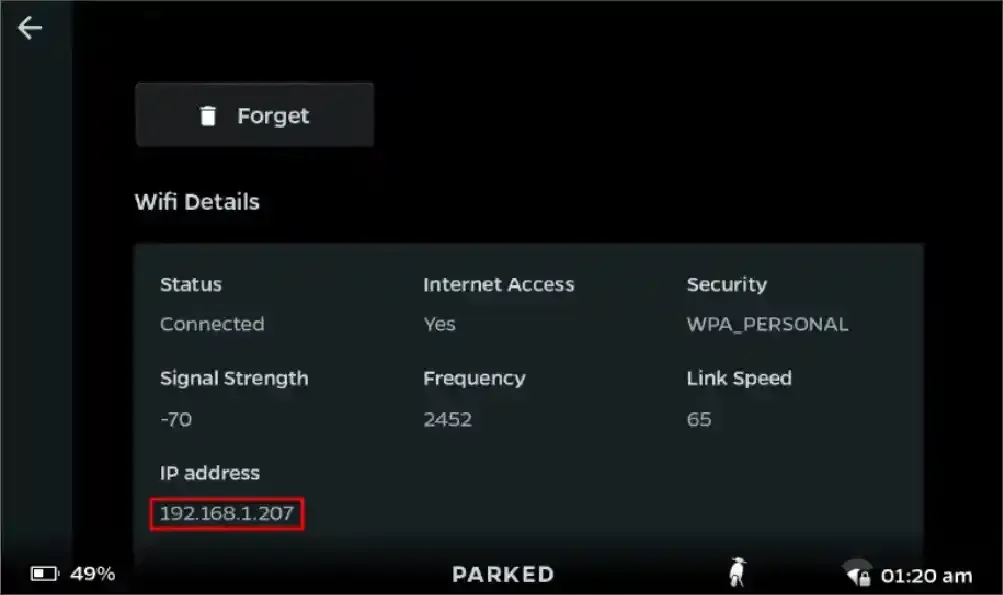 Your IPv4 address is shown on this screen.
Getting Started with the App
Section titled “Getting Started with the App”-
Download and Install the Application:
Visit the official releases repository and download the latest version:
- Download Link: Axiom Releases on Codeberg
Download
app-release.apkfrom the latest release, open the file on your Android device, and proceed with the installation. (If prompted, allow your browser or file manager permission to install unknown apps). -
Launch the App:
Open Axiom from your home screen or app drawer and tap Get Started to proceed to the connection setup.
-
Choose Your Connection Method:
The app presents three connection methods based on your network environment:
- Direct IP Connection: Use this if IPv4 access is already unblocked on your scooter (such as when manufacturing mode is already active). Simply input the scooter’s IPv4 or link-local address and tap connect.
- Discover Neighbors: Best when both your phone and scooter are connected to a standard Wi-Fi network (such as a home router). Note that standard mobile hotspots typically fail here because Wi-Fi AP client isolation blocks devices from communicating directly with each other.
- Shizuku Discovery: Recommended if you are connected via a mobile hotspot (or hosting the hotspot directly from your phone). By pairing with Shizuku, the app inspects kernel neighbor tables with elevated permissions to discover the scooter’s link-local IPv6 address. It then connects over IPv6, which succeeds in most hotspot environments because AP client isolation typically only blocks IPv4 traffic.
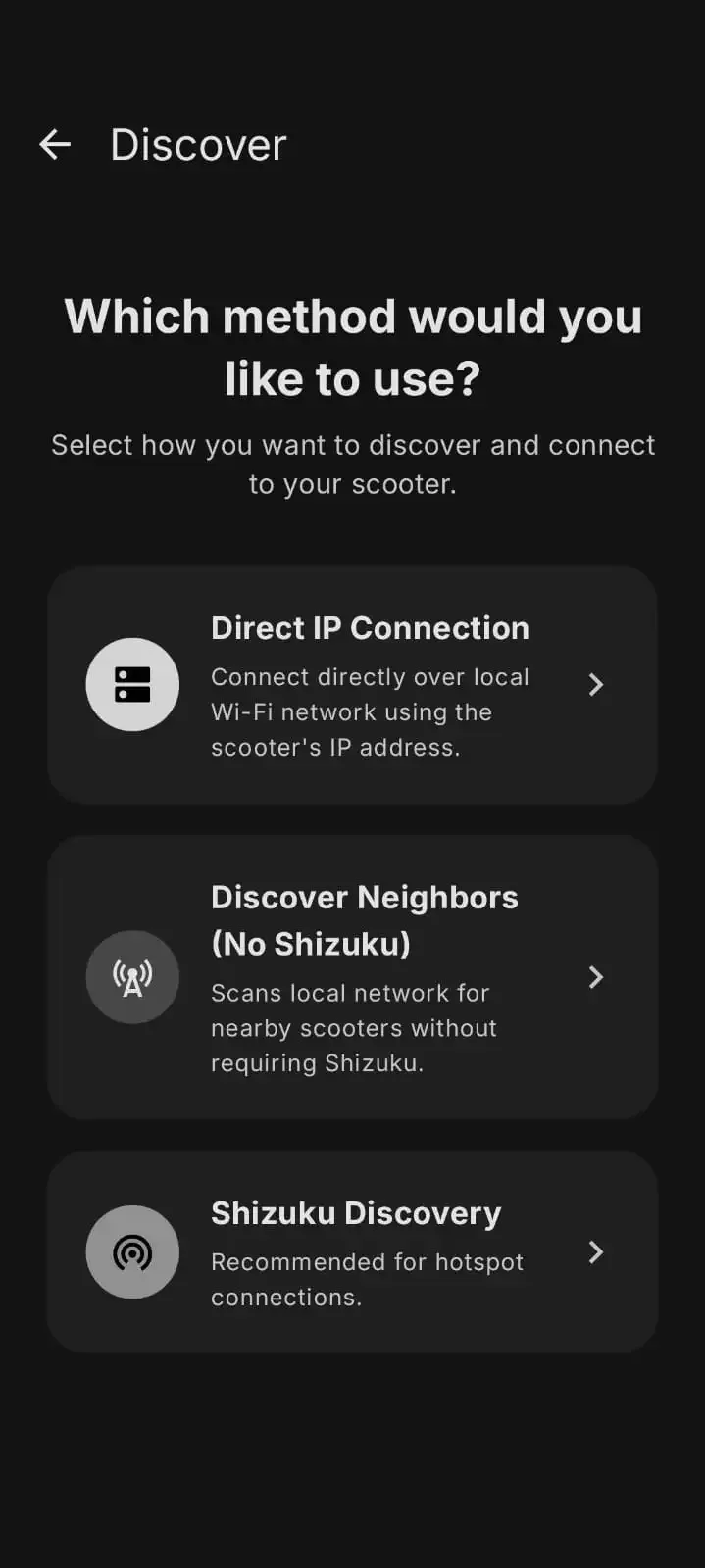 Select the connection method that best matches your network setup.
-
Scan and Select Your Scooter:
Once scanning begins, the app listens for the scooter’s diagnostic service on TCP port
50005. When your scooter appears in the list, tap on it to establish a connection.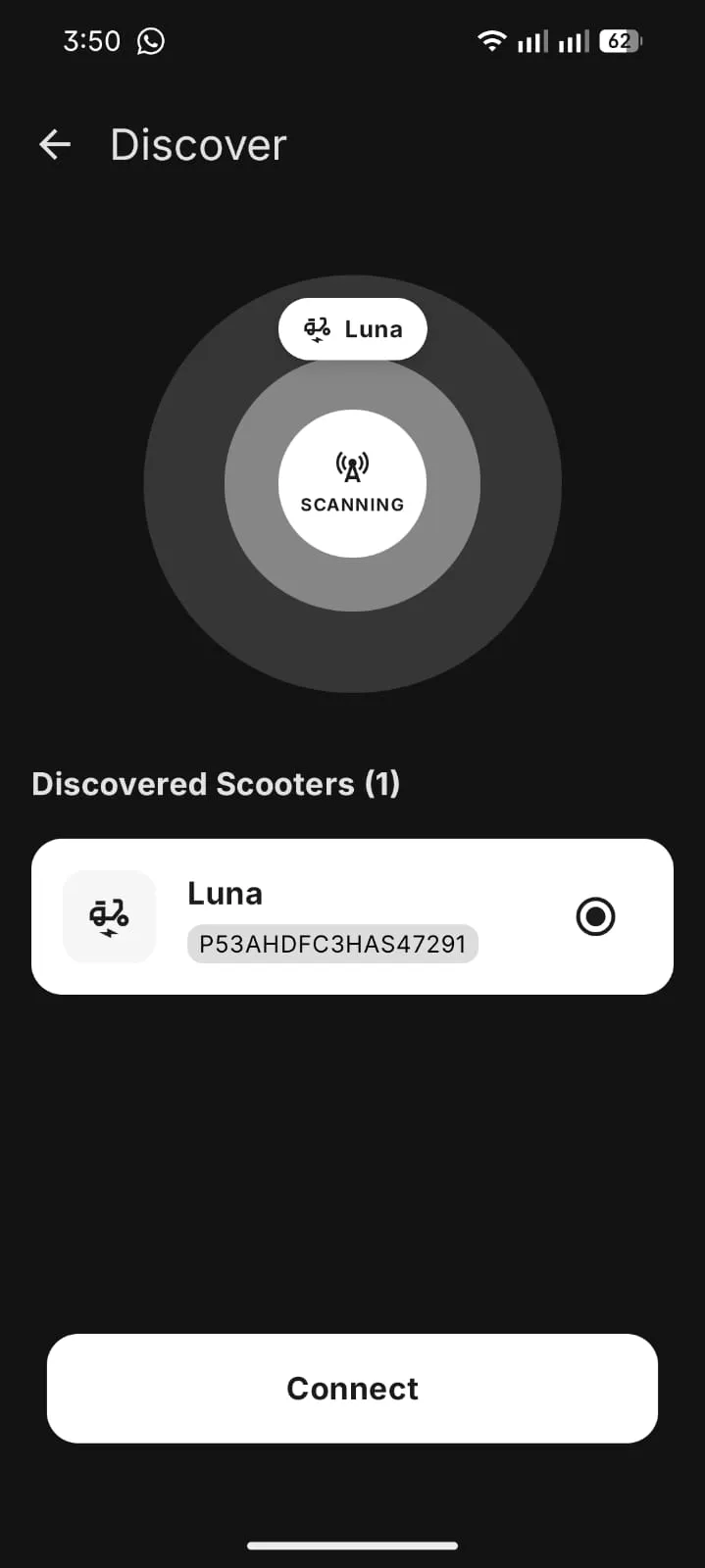 Tap on your discovered scooter to connect.
-
Access Basic Diagnostics:
Once connected, the app opens an active gRPC session to your head unit. You can now access and view your scooter’s basic diagnostic readings, device status, and telemetry directly from your phone.
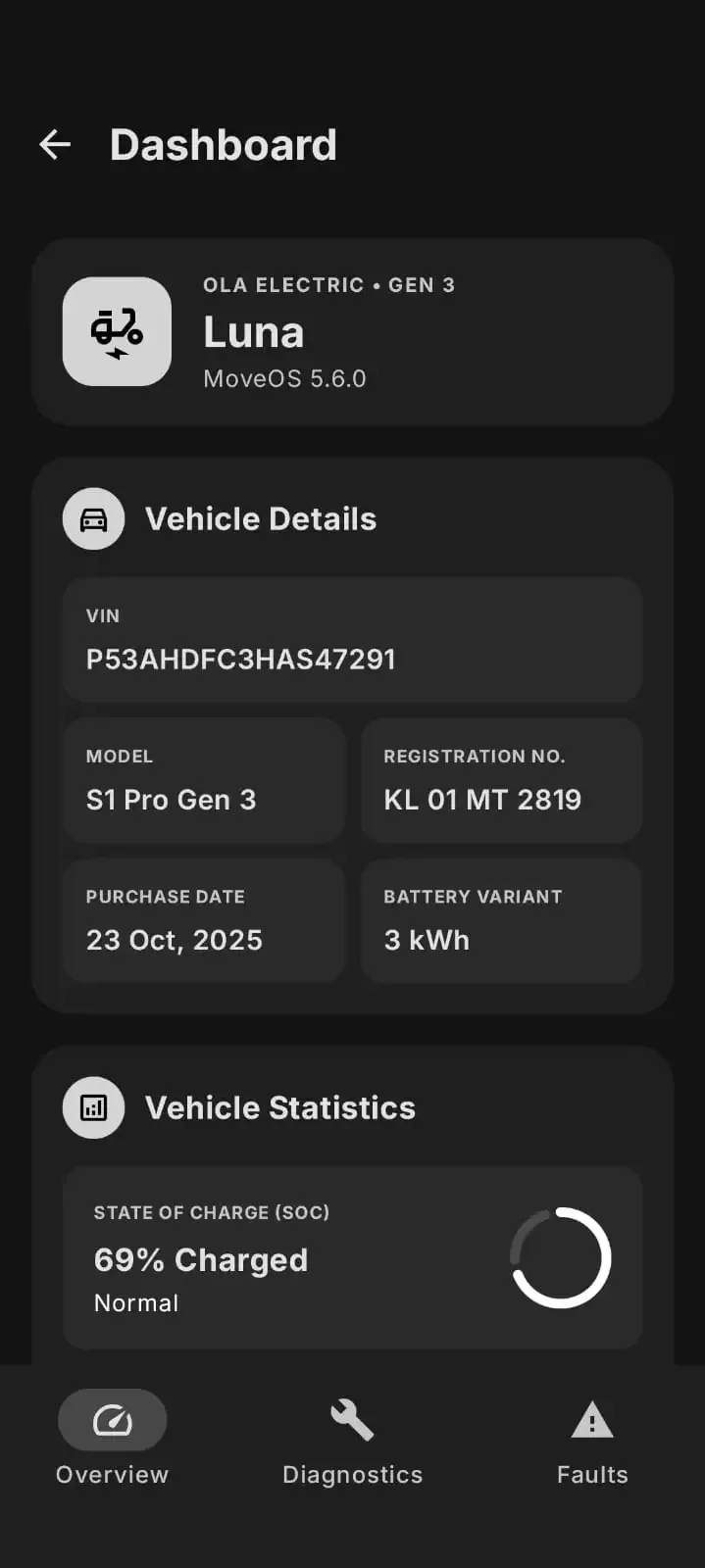 View vehicle telemetry and diagnostic status directly in Axiom.